

Hannon Brett | Published on: May 12, 2026 | Time to read: 20 min | Last Updated on: May 12, 2026
n8n is a powerful, source-available workflow automation tool that uses a visual, node-based system to help marketers connect apps and automate complex tasks without coding. Unlike simpler linear tools, n8n enables intelligent branching logic and decision-making, saving teams 20-30 hours weekly while delivering returns up to $5.44 per dollar spent.
Key Takeaways
- n8n's node-based system lets you build complex workflows with branching logic and decision points that adapt to different customer scenarios, unlike purely linear automation tools
- Lead nurturing and CRM enrichment workflows powered by data enrichment can improve qualified lead conversion rates by up to 47% and reduce manual data entry errors from 1-4% to near zero
- n8n's execution-based pricing model (whole workflow = 1 execution) scales much cheaper than Zapier or Make's task-based pricing, especially for multi-step automations with 8+ steps
- You can automate social media posting, lead scoring, reporting, and internal alerts by connecting n8n to 400+ integrations or any tool with a REST API
- Measuring ROI is straightforward: calculate time saved plus errors avoided, then compare to software and infrastructure costs using the formula (Benefits – Costs) / Costs
- Self-hosting n8n offers maximum control and can be cost-effective at high volumes, but requires dedicated IT resources for maintenance and security
Table of Contents
- Self-Hosting vs. n8n Cloud: Which is Right for Your Team?
- Core Marketing Automation Workflows You Can Build Today
- Automated Lead Nurturing & CRM Enrichment
- Cross-Platform Social Media Management
- Beyond Zaps: Building an Advanced Marketing Engine with n8n
- Dynamic Lead Scoring Based on User Behavior
- Measuring the ROI of Your Marketing Automation
- A Practical Framework for Calculating Value
- n8n vs. Zapier and Make: A Marketer's Comparison
- Conclusion: Your Marketing Strategy, Supercharged
What Is n8n? A Marketer's Secret Weapon for Automation
n8n is a source-available workflow automation tool that helps you connect apps and automate tasks. Unlike many simple tools, it uses a visual, node-based system. This allows you to build complex, custom workflows to manage your marketing processes without having to write lots of code.
Imagine a digital whiteboard for your marketing plans. Each task, like getting a new lead or sending an email, is a "node." You use "connections" to link these nodes, showing how data should flow between them. The full connected sequence is your automated "workflow."
For instance, a workflow could say: "When a new lead comes from LinkedIn, add them to our CRM." Then, it could check if they opened the welcome email. If yes, send them a case study. If no, send a gentle follow up. This creates a smarter, more responsive system.
This ability to create branching logic is what sets it apart. Many tools are purely linear. But n8n lets you build in decision points that mirror your actual customer journeys. Your automations become more flexible and intelligent, adapting to different scenarios without manual oversight.
This saves a huge amount of manual effort. Marketing automation can save teams 20-30 hours each week on routine tasks. This frees you up to focus on strategy instead of repetitive data work, as analyses of digital marketing tools confirm.
Self-Hosting vs. n8n Cloud: Which is Right for Your Team?
n8n offers two deployment models: n8n Cloud and self-hosting. The Cloud version is a managed service that lets you start building workflows in minutes. Self-hosting means you run n8n on your own servers. Choosing the right one depends on your team's tech skills, budget, and data privacy needs.
n8n Cloud is the easiest way to begin. There's no server setup or maintenance. The n8n team handles all updates and security, so you can focus on building automations. It's ideal for teams without dedicated IT resources who want a fast, straightforward start. The pricing is based on how many times your workflows run.
Self-hosting gives you maximum control. You install n8n on your own infrastructure, which is great for strict data privacy needs. At high volumes, it can be cheaper. Instead of paying per workflow run, you only pay for your server. As in-depth comparisons of automation tools highlight, this differs greatly from usage-based pricing models.
However, this control comes with responsibility. Self-hosting requires technical expertise for setup, security, and ongoing maintenance. As one guide for self-hosting n8n explains, you must factor in the cost of engineering time. This hidden expense can sometimes be more than a cloud subscription fee.
To help you decide, consider these key areas. The best choice depends on what your team values most: convenience, control, or cost.
| Consideration | Choose n8n Cloud If... | Choose Self-Hosting If... |
|---|---|---|
| Technical Skill | Your team is non-technical. | You have available IT or developer staff. |
| Setup Speed | You need to start immediately. | You can invest time in setup and maintenance. |
| Cost Structure | You prefer a predictable monthly fee. | Your workflow volume is extremely high. |
| Data Control | Standard security is acceptable. | You have strict data governance requirements. |
Both options provide the same powerful automation core. By weighing your team's resources against your business needs, you can confidently pick the path that will support your marketing goals now and in the future.
Core Marketing Automation Workflows You Can Build Today
The real power of n8n comes from its practical uses. You can create workflows that solve common marketing problems and give you back your time. Let's look at a few popular ideas to get you started and see how they can transform your daily tasks.
A great first workflow is lead nurturing. When a new person fills out a form, you can automatically send a welcome email. A few days later, another workflow can check if they opened it and send a relevant case study or a gentle reminder. This keeps your brand top of mind.
Another helpful automation is enriqueciendo leads. A workflow can take an email address and use other tools to find the person's company or job title. This gives your sales team valuable context for their first call, making their outreach much more effective and personal.
These automated systems do more than save time. They also drive real results. When done right, they can deliver a strong return. In fact, some heavy investors in automation see a return of $5.44 for every dollar spent, turning routine tasks into a powerful growth engine for your business.
Automated Lead Nurturing & CRM Enrichment
Automating your lead nurturing is one of the most powerful things you can do with n8n. It turns a simple form submission into a rich, personalized customer journey. This process ensures no lead falls through the cracks and your team can focus on relationships instead of data entry.
Imagine a new lead fills out a contact form. A workflow instantly grabs that data. It then connects to a data enrichment service to find extra details like the person's company size, location, or job title. This happens automatically in seconds.
This added information is gold for your sales and marketing teams. In fact, reports show that deep data enrichment can boost qualified lead conversion rates by up to 47%. It gives you the context needed to make your very first interaction more relevant and personal.
Next, the workflow can use n8n's 'IF' node to make a decision. For example: IF the lead works at a company with over 100 employees, send them to the enterprise sales pipeline. IF they are from a smaller business, add them to a self-service email sequence.
Based on that decision, the workflow adds the contact to the right list in your CRM and can trigger a welcome email. This is the foundation of effective lead nurturing best practices. It also avoids the mistakes that happen with manual work.
Manual data entry is prone to error. Even skilled professionals make mistakes. Research shows that manual data entry error rates average between 1% and 4%, introducing bad data into your system. Automation makes your CRM data cleaner and more trustworthy.
By building this workflow, you create a smart system that works for you 24/7. It qualifies, enriches, and segments leads without any manual effort. This frees up your team to have better conversations with truly qualified prospects.
Cross-Platform Social Media Management
Posting daily updates across Twitter, LinkedIn, and Facebook takes a lot of time. Copying and pasting content is repetitive and keeps you from focusing on bigger marketing goals. You can use n8n to automate your entire social media calendar, saving hours each week.
To get started, you can create a content plan in a Google Sheet or Airtable. Just make columns for your post copy, an image URL, and the date it should go live. This spreadsheet acts as your central command center for all social media content.
Next, you build an n8n workflow that runs daily. It checks your sheet for any content scheduled for that day. When it finds a post, it automatically publishes it to your connected social media profiles. You write the content, and n8n handles the rest.
Using a tool with a good API makes this process smooth. For instance, Airtable's structured database works well with automation. An n8n workflow can easily connect to it by following guidelines found in the official Airtable API documentation. This ensures a reliable connection to your content calendar.
You can also automate social listening. An advanced workflow can monitor Twitter for mentions of your brand. When a new mention appears, n8n can send a notification directly to a private Slack channel. This allows your team to see feedback instantly and respond quickly.
Real-World Example: Lead Nurturing at Scale
Marketing teams implementing automated lead nurturing workflows with n8n have reported saving 20-30 hours per week on routine tasks while boosting lead conversion rates by up to 47% through data enrichment. One common workflow captures leads from forms, automatically enriches them with company data (size, industry, job title), routes them to the appropriate sales pipeline using IF logic, and triggers personalized welcome emails—all without manual intervention. This type of automation delivers returns of $5.44 for every dollar spent, making it a powerful driver of marketing efficiency and revenue growth.
Beyond Zaps: Building an Advanced Marketing Engine with n8n
Simple automations connecting two apps are a great start. But the real power comes from building a smarter system. n8n allows you to create workflows that act like a central brain for all your marketing tools, orchestrating them to work together.
The key is n8n's logic nodes, like "IF" and "Switch." These let your workflows make decisions and follow different paths. For example, a workflow can route leads differently based on their company size or location, creating a truly responsive process.
This turns your tech stack into an intelligent engine. When implemented well, these advanced systems deliver huge value. In fact, some case studies on marketing automation workflows have seen a return of up to 72 times the initial investment. This moves automation from a time saver to a growth driver.
Dynamic Lead Scoring Based on User Behavior
Instead of treating all leads the same, you can use n8n to build a dynamic lead scoring system. This system automatically ranks leads based on their actions. It helps your sales team focus their energy on the prospects who are most likely to buy, making their outreach much more effective.
Think of it like a points system for engagement. The process starts when a user does something on your website, like visiting the pricing page or downloading a guide. Your website sends this event to an n8n webhook, which is a special URL that listens for incoming data.
The n8n workflow catches this information instantly. It can then use a 'Switch' node to check what action the user took. For example, visiting the pricing page might add 10 points to their score. Downloading an ebook could add 5 points. An email click might add 2 points.
These points are stored in your CRM or a simple database. As a lead interacts more with your brand, their score goes up. If they take a negative action, like unsubscribing, the workflow can subtract points. This keeps the score current and reflects their true interest level.
Once a lead's score passes a certain number, a separate n8n workflow can trigger an alert. It could send a message to a Slack channel or create a task in your CRM for a salesperson to follow up. This ensures hot leads get immediate attention from your team.
Implementing this kind of system has a huge impact. By focusing on behaviorally qualified leads, sales teams become far more efficient. In fact, some analyses on AI-powered lead scoring show it can improve conversion rates by as much as 75%. It's a powerful way to turn engagement into revenue.
Measuring the ROI of Your Marketing Automation
Automating tasks is great, but how do you prove it's worth the effort? Measuring the return on investment (ROI) of your workflows can feel tricky. It helps you show managers the real business value of your work. This turns automation from a tech project into a smart financial investment for the company.
The simplest way to calculate ROI is by comparing gains to costs. First, figure out the time you've saved. For example, if you automate a task that took 5 hours a week, that's 20 hours a month. Multiply that by an hourly rate to find the dollar value of the time saved.
But it's not just about time. Automation also improves productivity across departments. In fact, one analysis of AI automation tools found that they can increase sales productivity by 14.5%. This shows how automation directly helps the bottom line. You can add these gains to your ROI calculation to get a full picture.
A Practical Framework for Calculating Value
To measure automation's true worth, look beyond the price tag. A simple framework considers three main areas: time saved, mistakes avoided, and new opportunities created. This gives you a complete picture of the value it brings to your business.
Start by calculating time savings. Estimate the weekly hours your team spends on a repetitive task. Multiply those hours by an average hourly wage to see the direct cost. This amount is the value you reclaim through automation.
The time savings can be huge. For example, analyses of marketing software reveal that automating campaigns can cut the management time by up to 80%. This frees up your team for more strategic work that drives growth.
Next, consider the cost of errors from manual work. Bad data is expensive. Information sourced from Gartner shows the average company loses $12.9 million annually due to poor data quality. Automation prevents these costly mistakes by making your data more accurate and trustworthy.
Finally, pull it all together with a simple formula. Many guides on calculating automation return on investment use this method: (Benefits – Costs) / Costs. Benefits include saved time and avoided errors, while costs include software fees. This calculation proves the financial impact of your work.
Questions to Ask Before Building Your n8n Workflows
- Which repetitive marketing tasks take up the most time for your team each week—could they be automated with n8n?
- Do you need branching logic and decision points (like different paths for different lead types), or are simple linear automations sufficient for your needs?
- What is your team's technical comfort level—would a managed Cloud solution work better, or do you have IT resources to self-host and maintain n8n?
- Are you currently losing deals or accuracy due to manual data entry, and could automated lead enrichment and scoring improve your pipeline?
- How many workflow executions per month do you anticipate? Would execution-based pricing (n8n) save significantly compared to task-based pricing (Zapier/Make)?
- Which tools does your marketing stack already use, and do they have APIs that n8n can connect to (or would you need custom HTTP requests)?
- What's your budget for software, and can you calculate the ROI by comparing time saved plus errors avoided against the cost of the platform?
n8n vs. Zapier and Make: A Marketer's Comparison
When choosing an automation tool, marketers often look at n8n, Zapier, and Make. While all three connect your apps, they have key differences. The best choice depends on your specific needs, like how complex your workflows are and your budget for running them at scale.
Zapier and Make are great for simple, linear tasks. They are very user-friendly with huge app libraries. Their pricing is based on the number of "tasks" or "operations" you run. This means every single step inside a workflow, after the trigger, adds to your monthly bill.
This is where n8n is different. It uses an execution-based model. A whole workflow run counts as one execution, whether it has two steps or twenty. This approach can lead to major cost savings for marketers building sophisticated, multi-step campaigns with lots of logic and data processing.
For example, some comparisons between n8n and Zapier show that a complex workflow with ten steps can cost significantly more on task-based platforms. For teams running many automations, n8n's pricing lets you add more power to your workflows without a surprise bill at the end of the month.
Another key difference is control. With n8n, you can self-host the platform on your own servers. This gives you complete control over your data and can be a cost-effective choice for very high volumes. However, as technical analyses on self-hosting highlight, this requires dedicated engineering resources for maintenance.
To help you decide, here is a simple breakdown from a marketer's perspective. Each tool shines in different areas, so think about what you value most for your team.
| Tool | Best For... | Key Advantage for Marketers |
|---|---|---|
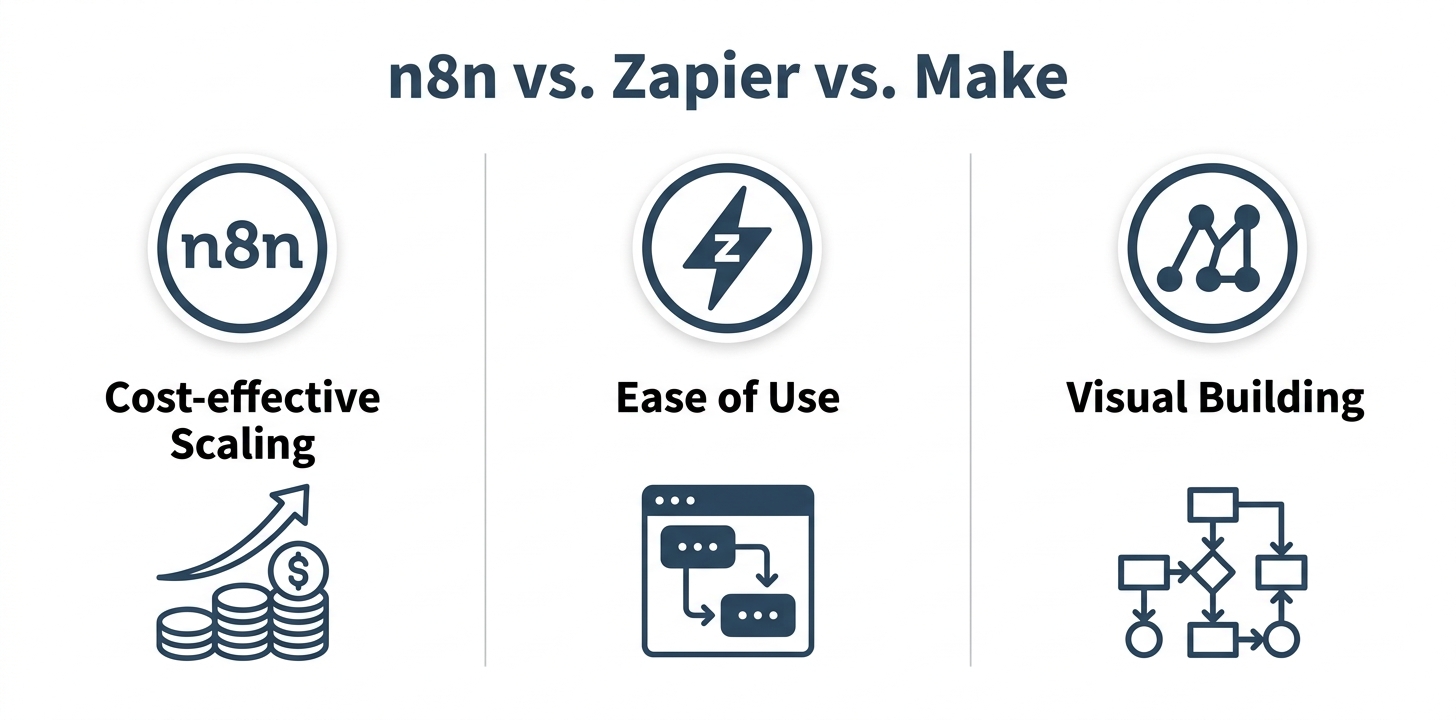
| n8n | Complex, multi-step workflows and high volume. | Cost-effective scaling and data control (with self-hosting). |
| Zapier | Simple, two or three step automations. | Unmatched ease of use and the largest number of app integrations. |
| Make | Visual thinkers who need moderate complexity. | A visual, drag-and-drop interface for building branching logic. |
Ultimately, Zapier is perfect for quick wins and simple connections. Make offers a visual middle ground. But for marketers looking to build a powerful, scalable automation engine with complex logic, n8n provides a more flexible and affordable foundation.
Your Marketing Strategy, Supercharged
Ultimately, n8n is more than just another marketing tool. It's a new way to build your entire marketing engine. By connecting your apps and adding custom logic, you can create a smarter, more efficient operation. This frees your team from repetitive tasks and lets them focus on strategy and creativity.
This guide has shown you the possibilities. You can build advanced workflows for lead scoring, social media management, and CRM enrichment. The real power is in the flexibility to create automations that are unique to your business needs. You are not limited by a platform's preset rules.
Adopting these systems is a smart move. The workflow automation market is huge, with some 2024 reports valuing the industry at over $20 billion. This shows that building efficient, automated processes is no longer a small trend. It's a core part of modern business strategy.
Ready to start? The best way to learn is by doing. Pick one of the simple workflows from this guide, like social media posting. Sign up for a free n8n Cloud account to get started in minutes. Or, if you're technically inclined, explore the documentation for self-hosting. Your supercharged marketing strategy is waiting.

Frequently Asked Questions
Is n8n free to use?
n8n offers both free and paid options. The source code is free to self-host on your own servers with some limitations, but managed n8n Cloud plans start at around $20-24/month and include benefits like automatic updates, managed infrastructure, and dedicated support. Choose the free self-hosted version if you have IT resources and data privacy is critical, or opt for a paid Cloud plan if you prefer a faster setup with minimal maintenance overhead.
Is n8n better than Zapier?
n8n isn't universally "better," but it's significantly more powerful for complex, multi-step workflows thanks to its node-based logic and IF/Switch decision nodes. Zapier excels at simple, linear tasks and offers the largest integration library. The best choice depends on your specific needs: choose Zapier for quick wins and ease of use, but select n8n if you need branching logic, advanced automation, and cost-effective scaling at high volumes.
What can you automate with n8n for marketing?
You can automate lead nurturing, CRM enrichment, social media posting across multiple platforms, dynamic lead scoring based on user behavior, reporting dashboards, and internal Slack alerts. With over 400 integrations and the ability to call any REST API directly, the automation possibilities are nearly limitless—from automatically sending follow-up emails based on engagement to enriching leads with company data and routing them to the right sales pipeline.
Is n8n difficult to learn?
There is a learning curve, especially compared to simpler tools like Zapier, but n8n is designed as a visual builder so you don't need to be a programmer to start. Building your first basic workflow can take just minutes, while mastering complex logic with IF nodes and data transformations will require more time and experimentation. The community templates and documentation make it accessible for beginners willing to invest some effort.
How does n8n handle errors in a marketing workflow?
n8n has built-in error handling that prevents data loss and keeps you informed. You can configure workflows to automatically retry on failure, or route failed data down a separate "error path" to trigger notifications in Slack or other tools so your team can investigate and fix issues without losing lead data. This is crucial for critical automations like lead processing where missing data could impact revenue.
Can I use n8n with a marketing tool that isn't listed in the integrations?
Yes, this is a major advantage of n8n. If your tool has a REST API, you can use the 'HTTP Request' node to interact with it directly—no official integration needed. You can also build your own custom 'Community Node' if it's a tool you'll use frequently, and share it with the n8n community. This flexibility makes n8n far more extensible than tools limited to pre-built integrations.